
Download Airo Antivirus – Real‑time Mac Protection, Free Trial, Secure Updates
Overview
Mac computers have long enjoyed a reputation for being less vulnerable to malware than Windows PCs, but that myth is rapidly fading. In recent years, cyber‑criminals have crafted sophisticated threats that specifically target macOS, from stealthy ransomware to browser‑based phishing kits. Airo Antivirus steps into this evolving landscape as a dedicated security solution built exclusively for Mac users.
Powered by cloud‑linked threat intelligence and on‑device machine‑learning, Airo delivers continuous, real‑time monitoring that catches malicious code before it can damage files, steal credentials, or compromise privacy. The software’s core promise is simple: keep every document, photo, and personal detail on your Mac safe without slowing down performance or bombarding you with technical jargon. Airo’s sleek, minimalist interface is designed for both tech‑savvy professionals and everyday users, offering a single dashboard that displays system status, recent scans, and detected threats in clear, color‑coded sections.
Users can instantly quarantine or restore suspicious items, configure custom scan schedules, and even extend protection to web browsers via the Web Guardian extension for Chrome and Safari. Airo also provides a 30‑day free trial with full premium features and a money‑back guarantee, allowing you to test the software risk‑free before committing to a subscription. In short, Airo Antivirus fills a critical gap in the macOS ecosystem, delivering proactive, intelligent defense against an ever‑growing pool of mac‑specific malware while maintaining the user‑friendly experience Mac owners expect.
Key Features & Real‑time Threat Detection
- Real‑time protection: Continuous background scanning intercepts threats the moment they appear, preventing infections before they can execute.
- AI‑driven malware analysis: Machine‑learning models study behavior patterns to identify zero‑day exploits and previously unknown strains.
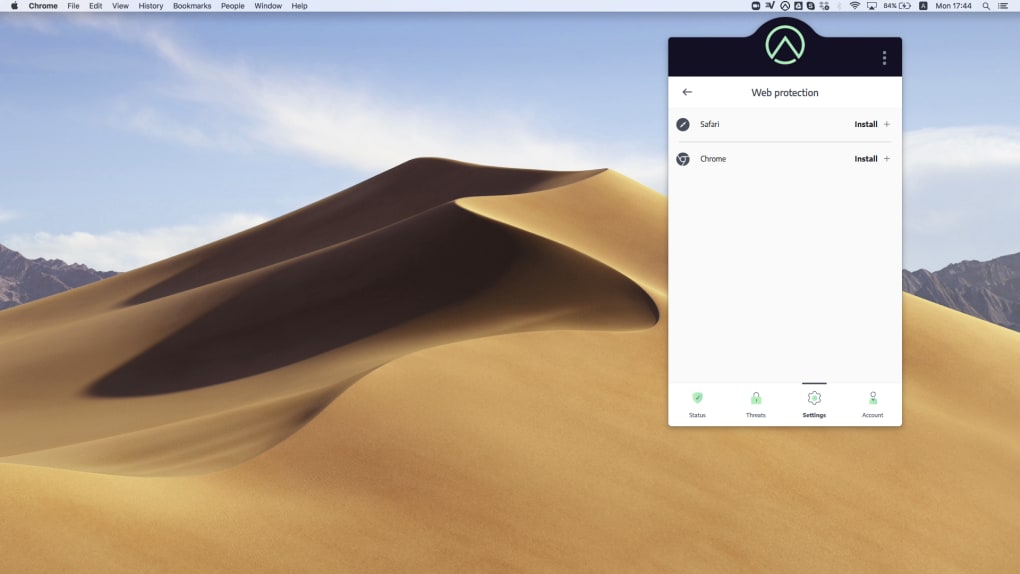
- Web Guardian extension: Integrated protection for Chrome and Safari that blocks malicious URLs, phishing attempts, and drive‑by downloads.
- Automatic updates: Cloud‑based signature updates occur silently, ensuring the latest threat database is always on your Mac.
- Quarantine & restore options: Detected items are isolated in a secure vault, allowing you to safely review, delete, or restore files.
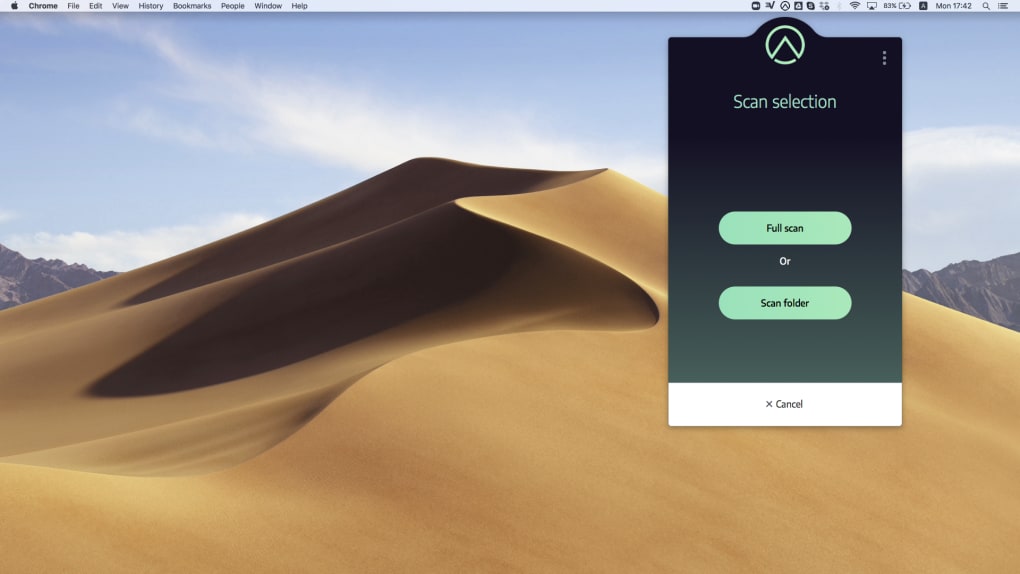
- Custom scan schedules: Choose between quick, full, or deep scans and set them to run daily, weekly, or on demand.
- Low system impact: Optimized scanning engine uses minimal CPU and RAM, keeping your Mac responsive during protection activities.
- Privacy‑first design: No data is sold or shared with third parties; all telemetry is anonymized and encrypted.
Airo’s feature set goes beyond traditional signature‑based detection. By combining real‑time monitoring with AI‑enhanced heuristics, the software can spot suspicious behavior such as unexpected file modifications, suspicious network connections, or abnormal process spawning. When a potential threat is identified, Airo instantly alerts the user with a concise, color‑coded notification that explains the risk level and recommended action.
The Web Guardian extension works as an additional line of defense, scanning each URL before the browser loads it, thereby stopping phishing sites and malicious scripts before they ever reach your screen. This layered approach mirrors enterprise‑grade security while remaining accessible to home users. Moreover, Airo’s automatic update system runs in the background, pulling the latest virus definitions from a global threat‑intel network every few hours.
This ensures you’re never left exposed to emerging threats, even if you rarely open the application. In practice, users report that the software catches everything from adware bundled with free utilities to more sophisticated ransomware that attempts to encrypt personal files. By delivering both breadth (coverage across multiple attack vectors) and depth (deep behavioral analysis), Airo positions itself as a comprehensive safeguard for any Mac environment.
Installation, Usage & Compatibility
Getting Airo Antivirus up and running on your Mac is straightforward, even for those who are not comfortable with command‑line tools. Follow these steps for a smooth installation:
- Download the installer: Visit the official Airo website and click the “Download for macOS” button. The file is a signed
.dmgpackage, ensuring it hasn’t been tampered with. - Open the disk image: Double‑click the downloaded
.dmgfile; macOS will mount it as a virtual drive. - Drag to Applications: Drag the Airo icon into the Applications folder shortcut displayed in the window. This copies the app to your system’s standard location.
- Launch and grant permissions: Open Airo from the Applications folder. macOS will request access to your files, network, and system extensions. Click “Allow” for each prompt; you may need to enter your administrator password.
- Complete the initial setup: The first‑time wizard walks you through creating a free account (optional), enabling real‑time protection, and configuring the Web Guardian extension for Chrome and Safari. The process takes less than five minutes.
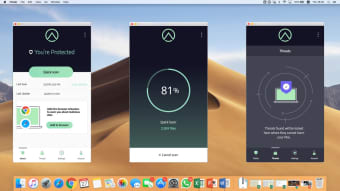
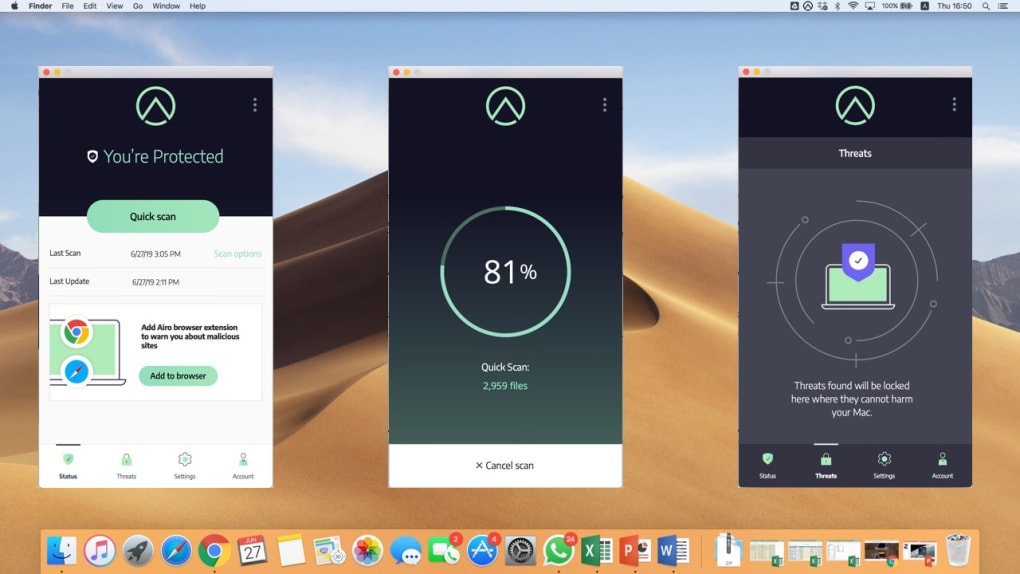
Once installed, the main dashboard displays four tabs: Status, Threats, Settings, and Account. The Status tab shows a quick health summary, including the last scan date, current protection level, and any pending updates. The Threats tab lists all detected items, each with a “Quarantine,” “Delete,” or “Restore” button. Settings let you adjust scan frequency, enable silent mode, or toggle the Web Guardian extension. The user experience is intentionally minimalist: large icons, clear headings, and a dark‑mode friendly color scheme reduce visual clutter and make navigation intuitive.
Compatibility: Airo Antivirus is built exclusively for macOS 10.14 (Mojave) and later, including macOS Ventura and macOS Sonoma. The software is optimized for both Intel‑based Macs and Apple Silicon (M1, M2, and later) and automatically selects the appropriate binary during installation, ensuring optimal performance on the newest hardware. System requirements are modest—at least 2 GB of free RAM and 200 MB of disk space—so even older MacBooks can run Airo without noticeable slowdowns. For users who rely on virtual machines or dual‑boot setups, Airo can protect each macOS instance independently, provided the operating system meets the minimum version requirement.
Overall, the installation process mirrors the simplicity of native macOS apps, while the usage flow keeps essential security actions just a click away. Whether you’re a graphic designer juggling large files or a developer running multiple containers, Airo integrates seamlessly into your daily workflow without becoming a distraction.
Pros, Cons & Frequently Asked Questions
Pros
- Real‑time, AI‑driven threat detection that catches zero‑day malware.
- Lightweight engine with minimal impact on system performance.
- Full‑featured 30‑day free trial with money‑back guarantee.
- Web Guardian extension protects Chrome and Safari from phishing and malicious sites.
- Native support for both Intel and Apple Silicon Macs.
- Simple, user‑friendly interface suitable for non‑technical users.
Cons
- No dedicated Windows or Linux version (Mac‑only focus).
- Advanced firewall controls are limited compared to some enterprise solutions.
- Subscription pricing is annual; no lifetime license option currently.
Frequently Asked Questions
Is Airo Antivirus really free during the trial?
Yes. Airo offers a 30‑day free trial that includes all premium features, such as real‑time protection, Web Guardian, and automatic updates. No credit‑card information is required, and you can cancel anytime before the trial ends.
Will Airo slow down my Mac during scans?
Airo is engineered to use low CPU and RAM. Scans run in the background and can be scheduled for off‑peak hours. Most users report negligible performance impact, even on older Mac models.
Does Airo protect my web browsers?
Absolutely. The Web Guardian extension works with Chrome and Safari, blocking malicious URLs, phishing pages, and drive‑by downloads before they load.
Can I use Airo on both Intel and Apple Silicon Macs?
Yes. The installer includes universal binaries that automatically select the appropriate architecture, delivering optimal performance on both chip types.
What happens to my data if I uninstall Airo?
Uninstalling Airo removes the application and its background services, but it does not delete quarantined files. You can manually delete the quarantine folder or restore any items before removal.
Airo Antivirus delivers solid, real‑time protection for macOS without sacrificing speed or usability. Its AI‑driven engine and comprehensive web guard make it a standout choice for both home and professional users.
Conclusion & Call to Action
Mac users no longer need to rely on the myth of invulnerability. With cyber threats evolving rapidly, a dedicated security solution like Airo Antivirus provides the peace of mind that comes from knowing your files, credentials, and online activity are continuously monitored and defended. The combination of AI‑enhanced detection, lightweight performance, and an intuitive interface makes Airo a compelling option for anyone who values both security and simplicity.
Because the product offers a risk‑free 30‑day trial and a money‑back guarantee, there’s no downside to giving it a try. Simply download Airo Antivirus now, install it on your Mac, and experience proactive protection that works silently in the background. Stay safe, stay secure, and keep your Mac running smoothly—download Airo today.







